
Industrial Mini PC vs Traditional Desktop PC

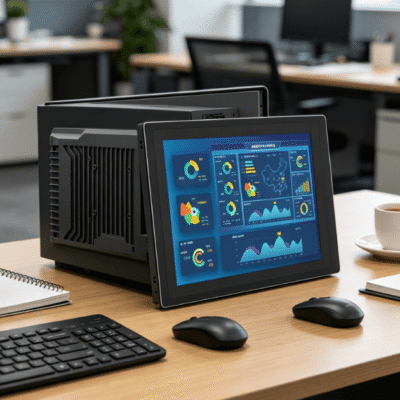
The modern workplace requires reliable computing power to maintain daily operations. Many organizations face a critical hardware choice for their specialized environments. They must decide between an industrial mini pc vs desktop pc to ensure long-term efficiency.
In 2026, processing data efficiently remains the core goal of any hardware deployment. Standard desktop computers excel in controlled office settings with air conditioning. However, industrial environments introduce challenges like dust, vibration, and extreme temperature fluctuations.
A standard office PC often fails under these rigorous physical stresses. This failure leads to expensive downtime and frequent hardware replacements. Understanding the technical nuances is essential for any professional IT deployment today.
The debate between an industrial mini pc vs desktop pc often centers on initial cost versus total value. An industrial unit might carry a higher upfront price tag than a consumer model. Nevertheless, the specialized engineering of industrial hardware provides a distinct advantage in specific sectors.
Why Choosing an Industrial Mini PC vs Desktop PC Matters for Longevity?
The most visible difference involves the physical enclosure and cooling mechanism. Most traditional desktops rely on large internal fans to circulate air through the chassis. These fans pull in dust and metallic particles from the surrounding atmosphere.
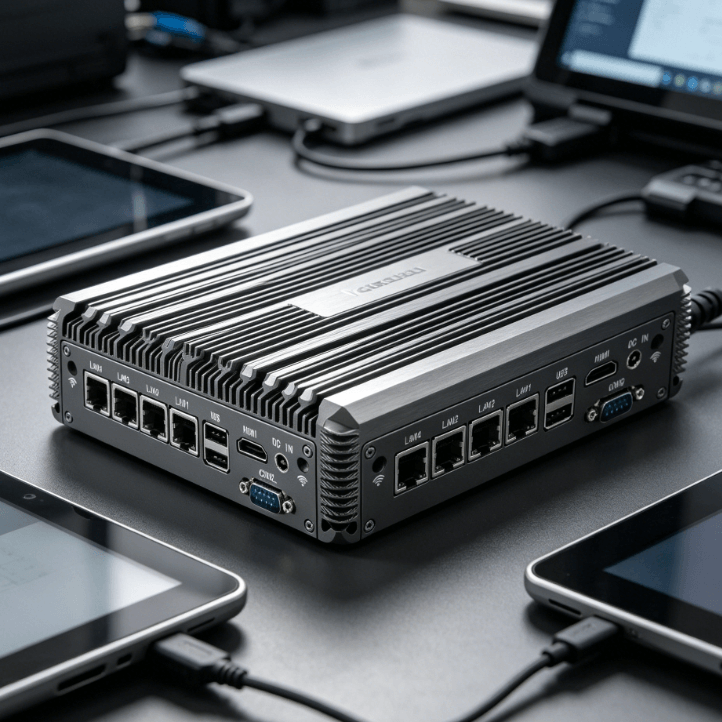
Over time, debris builds up on sensitive circuit boards and causes overheating. In contrast, an industrial mini pc often utilizes a fanless design with a sealed chassis. The outer shell features finned aluminum structures that act as a massive heat sink.
This design allows the system to dissipate heat through convection without moving parts. Eliminating fans significantly increases the Mean Time Between Failure (MTBF) for these systems. Data from 2026 indicates industrial units average 100,000 hours of MTBF.
Comparing Thermal Thresholds and Heat Dissipation
Component quality represents another major divide in the industrial mini pc vs desktop pc comparison. Consumer desktops use standard-grade capacitors designed for 8-hour daily use. Industrial systems utilize high-grade solid capacitors for 24/7 continuous operation.
These components withstand thermal stress much better than their office-grade counterparts. Most desktop PCs are rated for operation between 10°C and 35°C. Industrial models comfortably handle environments from -20°C to 70°C without performance degradation.
This thermal resilience is critical for outdoor kiosks or non-climate-controlled warehouses. Industrial units use wide-temperature components that prevent system instability during seasonal shifts. In 2026, these systems are essential for global supply chain resilience.
Impact of Vibration and Physical Shock
Industrial computers are engineered to handle significant physical shocks during daily operation. They often feature cable-free internal designs to prevent connectors from vibrating loose. Standard desktops use many internal plastic clips and ribbon cables that fail under movement.
Military-grade testing ensures these devices survive constant jolts on factory floors. A standard desktop might suffer from mechanical disk failure or loose RAM sticks. Industrial units prioritize soldered components to eliminate these common hardware failure points.
This robustness makes the industrial version superior for mounting on moving machinery. Whether in a vehicle or on a robotic arm, stability is paramount. The industrial mini pc vs desktop pc choice is clear for mobile applications.
| Feature | Traditional Desktop PC | Industrial Mini PC |
|---|---|---|
| Cooling Method | Active Fans | Passive/Fanless Heat Sinks |
| Operating Temp | 10°C to 35°C | -20°C to 70°C |
| Dust Resistance | Low (Vented Chassis) | High (Sealed IP-rated Design) |
| Input Voltage | Fixed 110V/220V AC | Wide Range 9V – 36V DC |
| Vibration Rating | Minimal Resistance | MIL-STD-810G Certified |
| Availability | 1–2 Years | 5–15 Years Roadmaps |
Analyzing Performance Stability and Environmental Hazards
The operating environment dictates which hardware will ultimately survive and perform. A traditional desktop usually requires a clean, temperature-controlled server room or office. In a manufacturing plant, the ambient temperature can easily exceed 40 degrees Celsius.
Standard CPUs will throttle their performance under these conditions to prevent damage. When comparing an industrial mini pc vs desktop pc, the thermal threshold is a critical metric. Industrial-grade processors are selected for their low Power Design Point (TDP).
These chips generate less heat while maintaining consistent processing speeds. This stability ensures that critical automation software does not experience sudden lag. In 2026, consistent processing is vital for real-time AI edge computing applications.
Protection Against Dust and Moisture Ingress
Dust and moisture ingress pose the greatest threat to hardware in logistics applications. A standard PC chassis has multiple openings that allow humidity to corrode internal traces. Industrial designs often meet specific Ingress Protection (IP) ratings to block these hazards.
IP65 or IP67 ratings mean the device is protected against water jets and dust. Standard desktops offer no such protection and require frequent internal cleaning to survive. This protection is vital for maintaining a reliable digital infrastructure in non-office settings.
Sealed systems also prevent the accumulation of conductive dust in metalworking facilities. Conductive dust can cause short circuits on a standard motherboard within weeks. Choosing an industrial mini pc vs desktop pc mitigates this specific environmental risk.
Electrical Stability and Power Protection
Data protection is another area where industrial systems show their specialized engineering. Many industrial units feature wide-range DC power inputs to handle voltage spikes. In factory settings, heavy machinery starting up can cause momentary power fluctuations.
Industrial PCs use specialized power protection circuits to filter this electrical noise. These circuits prevent data corruption and hardware damage during erratic power delivery. Standard desktops rely on external UPS systems which add bulk and maintenance costs.
In 2026, energy efficiency and power resilience are top priorities for industrial managers. Integrated over-voltage and under-voltage protection save the system from catastrophic failure. This internal safety layer justifies the investment for mission-critical tasks.
Lifecycle Management and Long-Term Availability Strategies
The consumer electronics market moves at a rapid pace with frequent model updates. A specific desktop motherboard might only remain in production for twelve months. This short lifecycle creates significant challenges for large-scale enterprise deployments.
Standardizing on an industrial mini pc vs desktop pc provides a solution to this configuration drift. Industrial manufacturers provide long-term support roadmaps that span up to fifteen years. This means you can purchase the exact same hardware configuration in 2026 and beyond.
Long-term availability simplifies software image management across the entire organization. It reduces training requirements for maintenance staff who only learn one system. Hardware consistency is a foundational requirement for modern industrial digital transformation.
Hardware Revision Control and Certification
Furthermore, industrial suppliers offer Revision Control for their hardware components. Every BIOS version and internal chip remains consistent throughout the product’s life. This level of consistency is critical for regulated industries like medical device manufacturing.
In these sectors, changing a single component might require a new certification process. Standard desktops undergo frequent “silent” hardware revisions that can break software compatibility. Industrial systems guarantee that the unit you buy today matches the unit you buy later.
This predictability reduces the total cost of ownership by eliminating unexpected software conflicts. IT teams spend less time troubleshooting driver issues caused by hardware changes. In the industrial mini pc vs desktop pc debate, stability often outweighs raw peak speed.
Legacy Support and Connectivity Requirements
Compatibility with legacy equipment is another hallmark of industrial computing hardware. Traditional desktops have phased out older ports like RS-232, RS-485, and GPIO. Many industrial machines still rely on these serial connections for communication and control.
Industrial PCs retain these essential ports to ensure seamless integration with existing factory infrastructure. They also offer expandable I/O options through specialized internal slots. This allows for customized configurations that a standard office PC cannot support.
Having built-in serial ports removes the need for unreliable USB-to-serial adapters. These adapters often fail or cause latency issues in time-sensitive automation tasks. Direct hardware communication ensures the highest level of reliability for industrial protocols.
Identifying the Best Fit for Your Operational Needs
Choosing the correct device requires a thorough assessment of your operational workflow. You should evaluate the physical environment where the computer will be installed. If the area experiences high humidity, specialized protection is mandatory for survival.
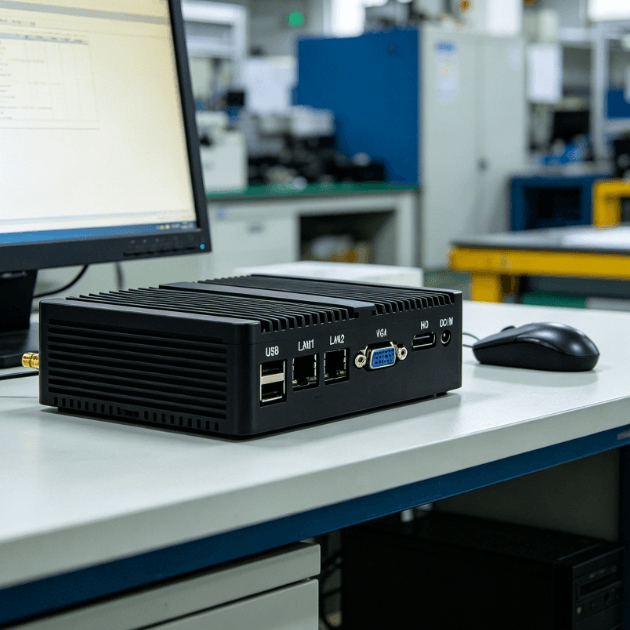
In such cases, checking various industrial mini pc options is the first step toward a solution. These devices provide the core computing power needed for stationary automation. They fit into tight spaces where a desktop could never be installed.
If your application requires a built-in display for operator interaction, different standards apply. Some environments benefit from an industrial tablet pc that combines processing power with a rugged screen. These all-in-one units simplify installation by removing the need for separate monitors.
For workers who must remain mobile in unpredictable field conditions, portability becomes the priority. A rugged tablet offers the durability of an industrial PC in a handheld form factor. These devices are tested for drop resistance and can operate in direct sunlight.
Consider the complexity of your software when selecting the internal processor and memory. Basic data logging might only require an entry-level Celeron or ARM-based processor. Intensive vision inspection tasks will demand high-end Core i7 industrial CPUs in 2026.
Finally, review the mounting requirements for your specific installation site. Industrial PCs offer diverse mounting kits for walls, desks, or specialized equipment rails. This flexibility allows you to place the computing power exactly where it is needed most.
Summary
The comparison between an industrial mini pc vs desktop pc highlights the need for application-specific hardware. Industrial units provide the durability, thermal range, and lifecycle support necessary for demanding environments. While traditional desktops are cost-effective for offices, they lack the ruggedization required for 24/7 industrial use. Investing in industrial-grade technology in 2026 ensures maximum uptime and a lower total cost of ownership.
PRO TIP
When installing fanless industrial PCs, always maintain at least two inches of clearance around the chassis. Natural convection requires space for heat to move away from the finned aluminum surface. Obstructing this airflow can lead to thermal throttling and reduced processor speeds during peak loads.
FAQ
1. Can I use a traditional desktop PC for industrial automation tasks?
You can technically use a desktop PC, but it is not recommended for industrial tasks. Traditional desktops lack protection against dust, vibration, and extreme temperatures found in factories. This usually leads to frequent hardware crashes and expensive operational downtime in the long run.
2. Why is an industrial mini pc more expensive than a standard desktop?
Industrial mini PCs use higher-grade components designed for extreme conditions and 24/7 operation. The costs cover specialized fanless enclosures, wide-temperature motherboards, and long-term production support. These features provide a lower total cost of ownership by preventing frequent hardware replacements and repairs.
3. How long does an industrial mini pc typically last compared to a desktop?
An industrial mini pc usually has an operational lifespan of seven to ten years in harsh environments. Traditional desktops are typically designed for a three to five-year lifecycle in clean office environments. The industrial unit’s lack of moving parts and better thermal management significantly extend its service life.
4. Do industrial mini PCs support modern operating systems in 2026?
Yes, most modern industrial mini PCs support Windows 11 and various Linux distributions in 2026. They use standard x86 architectures that are compatible with the same software as desktop PCs. Many organizations choose the LTSC version of Windows for better stability and control over updates.
5. What are the mounting options for an industrial mini pc?
Industrial mini PCs offer versatile mounting options including VESA, wall mounts, and DIN rail mounts. This allows them to be installed directly inside control panels or on factory walls. Traditional desktops are restricted to desk or rack placement due to their size and cooling needs.
Reference Sources
Intel Corporation Industrial PC Solutions and Lifecycle Support
Microsoft Corporation Windows IoT and LTSC Deployment Guides
National Institute of Standards and Technology Guide to Industrial Control Systems Security