
What Is an Industrial Mini PC and How Does It Work?

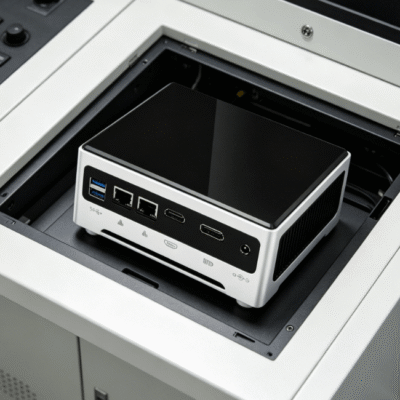
Industrial environments in 2026 demand hardware that surpasses the capabilities of standard office equipment. A typical desktop computer cannot withstand the dust, vibration, and temperature swings found on a factory floor. This necessity led to the development of the industrial mini pc, a specialized computing device designed for extreme reliability.
An industrial mini pc is a compact, ruggedized computer engineered for high-performance tasks in challenging settings. It serves as the brain for automation systems, security networks, and data collection hubs. Unlike consumer electronics, these units prioritize durability and consistent uptime over aesthetic appeal or gaming features.
In 2026, businesses rely on these devices to bridge the gap between heavy machinery and digital cloud platforms. Their small footprint allows for installation in tight spaces where traditional servers would never fit. They represent the evolution of industrial computing, offering workstation power in a palm-sized chassis.
What Defines the Hardware of an Industrial Mini PC in 2026?
The construction of an industrial mini pc involves materials specifically chosen for their thermal and structural properties. Most units feature a chassis made from high-grade aluminum alloy or heavy-duty steel. This metal housing is not just a protective shell but a critical component of the system’s cooling strategy.
Inside the device, you will find industrial-grade motherboards that undergo rigorous stress testing. These boards are designed to operate 24 hours a day without failure for many years. Reliability is the primary focus of every internal component choice.
| Specification | Consumer Mini PC | Industrial Mini PC (2026 Standard) |
|---|---|---|
| Operating Temperature | 5°C to 35°C | -20°C to 70°C |
| MTBF (Hours) | 15,000 – 20,000 | 50,000 – 100,000 |
| Housing Material | Plastic or Thin Steel | Aluminum Alloy / Stainless Steel |
| Dust Protection | Minimal | IP40 to IP67 Rated |
| Vibration Resistance | Low | High (MIL-STD-810G) |
Industrial-Grade Component Selection
Engineers select components like Solid State Drives (SSD) that can handle intense vibration. These drives lack moving parts, which prevents data corruption during mechanical shocks. Industrial mini pc systems often use wide-temperature RAM to ensure stability during peak summer heat or winter freezes.
The capacitors used on the motherboard are often solid-state rather than electrolytic. This choice prevents the leaking or bulging issues commonly seen in cheap consumer electronics. Such attention to detail ensures the device remains operational for a decade or more.
Specialized Connectivity and I/O Ports
Connectivity is where the industrial mini pc truly stands out from its office-bound counterparts. These machines often include legacy ports like RS-232, RS-422, and RS-485 for machine communication. These protocols remain essential for controlling robotic arms and legacy PLC systems in 2026.
Modern units also feature multiple Gigabit Ethernet ports for redundant networking. This ensures that if one cable fails, the machine remains connected to the control center. GPIO (General Purpose Input/Output) pins are also common for direct sensor integration.
How Does an Industrial Mini PC Work Without a Cooling Fan?
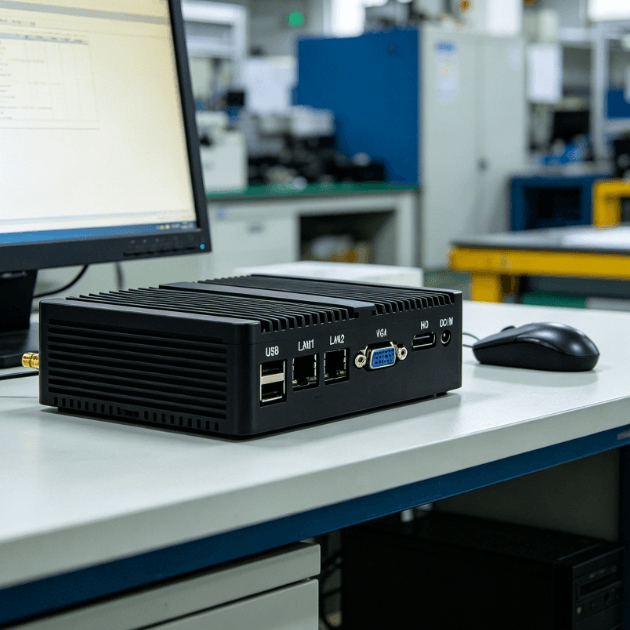
The most distinctive feature of an industrial mini pc is its lack of internal cooling fans. Traditional fans are the primary failure point in computers due to dust accumulation and mechanical wear. By removing the fan, manufacturers create a fully sealed environment for the sensitive electronics.
This passive cooling works through a process called thermal conduction. The heat generated by the CPU is transferred via heat pipes to the outer aluminum chassis. The external fins of the chassis act as a large heat sink to dissipate thermal energy into the air.
The Physics of Heat Dissipation
Aluminum alloys used in 2026 have thermal conductivity ratings exceeding 200 W/m·K. This allows the heat to move quickly away from the processor to the exterior surface. Convection then carries the heat away as air moves naturally over the integrated cooling fins.
This design allows the industrial mini pc to operate in environments filled with airborne particles. Since there is no fan pulling air inside, dust cannot settle on the circuit boards. This eliminates the risk of short circuits and thermal throttling caused by debris.
Advanced Power Management Systems
The way an industrial mini pc handles power is also fundamentally different from consumer models. Industrial power grids often experience voltage spikes, sags, and electrical noise from heavy motors. Consequently, these PCs include built-in wide-voltage protection modules.
Most units can accept a range of 9V to 36V DC power directly. This flexibility allows them to run off vehicle batteries or standard industrial power rails. Internal surge protection blocks up to 5kV of electrical interference to protect the motherboard.
Shock and Vibration Absorption
In 2026, many industrial computers are mounted on moving vehicles or vibrating machinery. An industrial mini pc uses a cable-less design to prevent internal connections from shaking loose. Components are often soldered directly to the PCB rather than using friction-fit slots.
This mechanical rigidity allows the system to pass the MIL-STD-810G vibration test. This standard ensures the computer can survive transport over rough terrain or constant factory tremors. Durability is built into the physical architecture of the system.
Why Is an Industrial Mini PC Essential for 2026 Automation?
The shift toward Industry 4.0 and smart factories has made the industrial mini pc a mandatory requirement. These devices process data at the “Edge,” meaning they analyze information right where it is collected. This reduces the need to send massive amounts of raw data to distant cloud servers.
By processing data locally, companies reduce latency and improve response times for safety systems. For example, a computer vision system can stop a conveyor belt in milliseconds if it detects a hazard. Instant data processing saves time, money, and potentially lives.
Long Lifecycle and Support
Consumer technology changes rapidly, with new models replacing old ones every 12 months. In contrast, an industrial mini pc typically has a manufacturing lifecycle of five to ten years. This stability is vital for businesses that do not want to redesign their software every year.
When a company deploys a system in 2026, they need to know they can buy the exact same model in 2030. This consistency simplifies maintenance and spare parts management. It also ensures that drivers and software remains compatible across the entire fleet of devices.
Security and Remote Management
Modern industrial units include hardware-based security features like TPM 2.0 (Trusted Platform Module). This chip provides encrypted storage for digital keys and certificates. It prevents unauthorized software from running on the device, which is critical for infrastructure security.
Remote management is another key functional area for these systems. IT managers can power the devices on or off and update firmware without visiting the factory floor. This reduces the cost of maintaining systems located in remote or hazardous locations.
How to Determine the Best Industrial Mini PC for Your Needs?
Selecting the right hardware requires a deep understanding of your specific environmental constraints. You must first measure the ambient temperature and dust levels of the installation site. A fully sealed IP65-rated industrial mini pc is necessary for wash-down areas in food production.
Performance requirements should be matched to the software you intend to run. Simple data logging may only require an Intel Celeron or Atom processor for energy efficiency. However, AI-driven inspections and complex robotics will need high-performance Core i7 or i9 CPUs.
Mounting options are another practical consideration for system integration. Many users prefer DIN-rail mounts for standard electrical cabinets. Others may require VESA mounts to attach the PC directly to the back of a rugged touchscreen.
The available I/O must align with your existing machinery and sensor array. If you are integrating a wide range of devices, look for industrial mini pc configurations that offer expansion slots. This allow you to add specialized cards for extra LAN ports or wireless modules.
Always check the power requirements of the unit before finalizing your purchase. Ensure your facility can provide the necessary DC voltage or use an industrial AC adapter. A compatible power supply prevents unexpected shutdowns and extends the life of the hardware.
Finally, consider the future scalability of the chosen platform. Buying a system with slightly more RAM or storage than currently needed can prevent future bottlenecks. In the fast-moving landscape of 2026, having a small performance buffer is a wise investment.
Summary
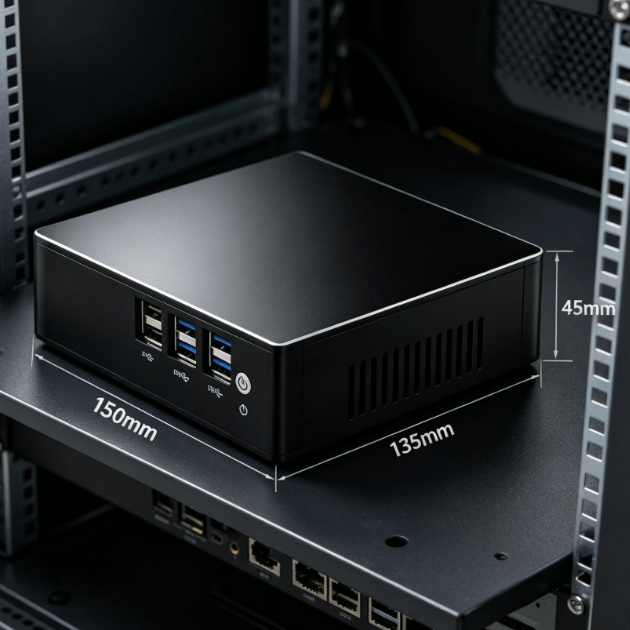
An industrial mini pc is a ruggedized, fanless computing solution built to survive the harshest 2026 environments. It works by using conductive cooling, wide-voltage power protection, and vibration-resistant components to ensure 24/7 operation. These devices provide the reliability and long-term support necessary for modern industrial automation and edge computing.
PRO TIP
When installing an industrial mini pc in a cabinet, ensure the cooling fins are aligned vertically. This orientation promotes natural air convection, which can lower the internal CPU temperature by as much as 5°C.
FAQ
1. What is the main difference between a regular PC and an industrial mini pc?
An industrial mini pc is built with high-grade components and a fanless chassis for 24/7 use in extreme conditions. Regular PCs use fans and plastic parts that fail quickly in dusty or hot environments.
2. Can an industrial mini pc operate in sub-zero temperatures?
Yes, most industrial models are rated to operate in temperatures as low as -20°C. Some specialized units for 2026 can even withstand temperatures down to -40°C with internal heaters.
3. Do these computers support modern operating systems like Windows 11?
Yes, they utilize standard x86 architecture and support Windows 11, Windows 10 IoT, and Linux. This ensures they are compatible with most industrial automation and monitoring software.
4. Why are industrial mini pc systems more expensive than home computers?
The higher cost reflects the use of premium materials like aluminum, industrial-grade capacitors, and extensive stress testing. You are paying for a device that lasts ten years instead of two or three.
5. How does a fanless design keep the computer from overheating?
The internal heat is moved through copper heat pipes to the thick metal outer shell. The large surface area of the external fins allows the heat to escape into the air through natural convection.
Reference Sources
IEEE Xplore Technical Report on Passive Cooling in Industrial Systems
Intel Corporation Industrial IoT Solutions and Processor Specifications
International Electrotechnical Commission Industrial PC Standards